
Download Shalom Help Maker – help document, documentation tool, create help files, .hlp file, help file generator, application help, help file compiler, help documentation, help system, help writer
Overview
Shalom Help Maker is a specialized productivity tool designed for developers, technical writers, and software creators who need to generate structured help documentation for their applications. The app provides a streamlined workflow for crafting comprehensive help files, culminating in the compilation of final outputs in the .hlp format—a legacy but still relevant file type for Windows-based help systems. Its primary purpose is to simplify the creation of user assistance materials, reducing the complexity typically associated with manual documentation processes.
Target users include software developers seeking to integrate help systems into their applications, technical support teams maintaining user guides, and independent creators who require efficient documentation solutions without extensive training. The app’s design emphasizes clarity and ease of use, enabling even non-technical users to produce professional-grade help files. By offering a structured environment for defining content, indexes, and navigation links, Shalom Help Maker helps ensure that end users can quickly access relevant information.
Although the developer, Shalom Software, is listed, no additional background information is available regarding their history or other products. The app was released on July 15, 2005, placing it in the early era of modern desktop documentation tools. Despite its age, it remains functional for specific use cases involving .hlp file generation. In today’s software ecosystem, where digital documentation often relies on web-based formats, Shalom Help Maker fills a niche role for legacy system support and developers maintaining older Windows applications.
Key Features & Functionality
- Intuitive Interface: The application features a clean, straightforward layout that minimizes user friction. Even individuals with limited technical experience can navigate the tool and begin creating help content without prior training.
- Comprehensive Document Creation: Users can structure help files by defining pages, organizing content hierarchically, and establishing internal and external links. This supports the creation of navigable, user-friendly documentation.
- Image and Link Integration: The tool allows the inclusion of visual elements and hyperlinks, enhancing the clarity and utility of help content. This functionality supports richer, more engaging documentation.
- Easy Compilation Process: Once the documentation is complete, the app enables users to generate a final .hlp file using a dedicated compiler. By placing the compiler in the project folder, the tool automates the compilation, ensuring consistent output.
- Flexibility in Content Design: Shalom Help Maker supports various content types and structural configurations, allowing developers to tailor help systems to the specific needs of their applications.
For example, a developer maintaining an older Windows utility can use the app to create a help file with indexed topics, embedded screenshots, and clickable links to online resources. This ensures that users of the legacy software can find support efficiently. The tool’s focus on usability means that time is spent on content rather than configuration, improving overall productivity.
Interface, UX & Performance
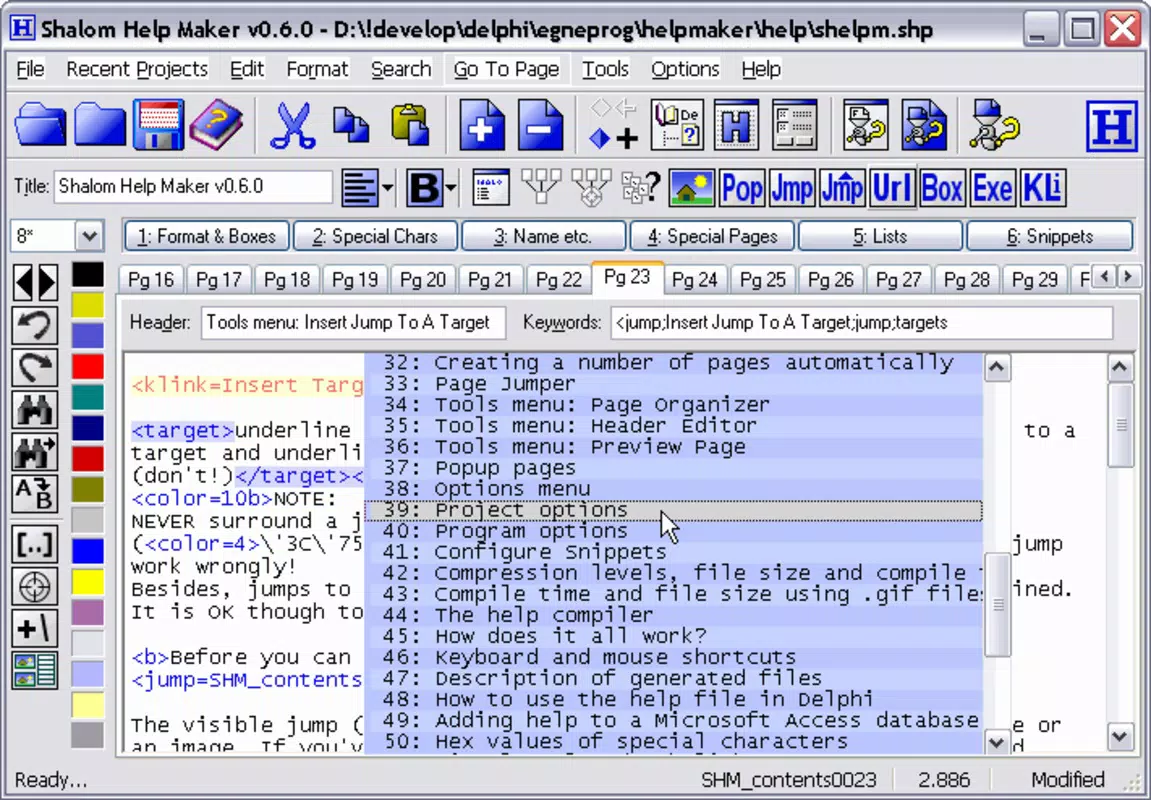
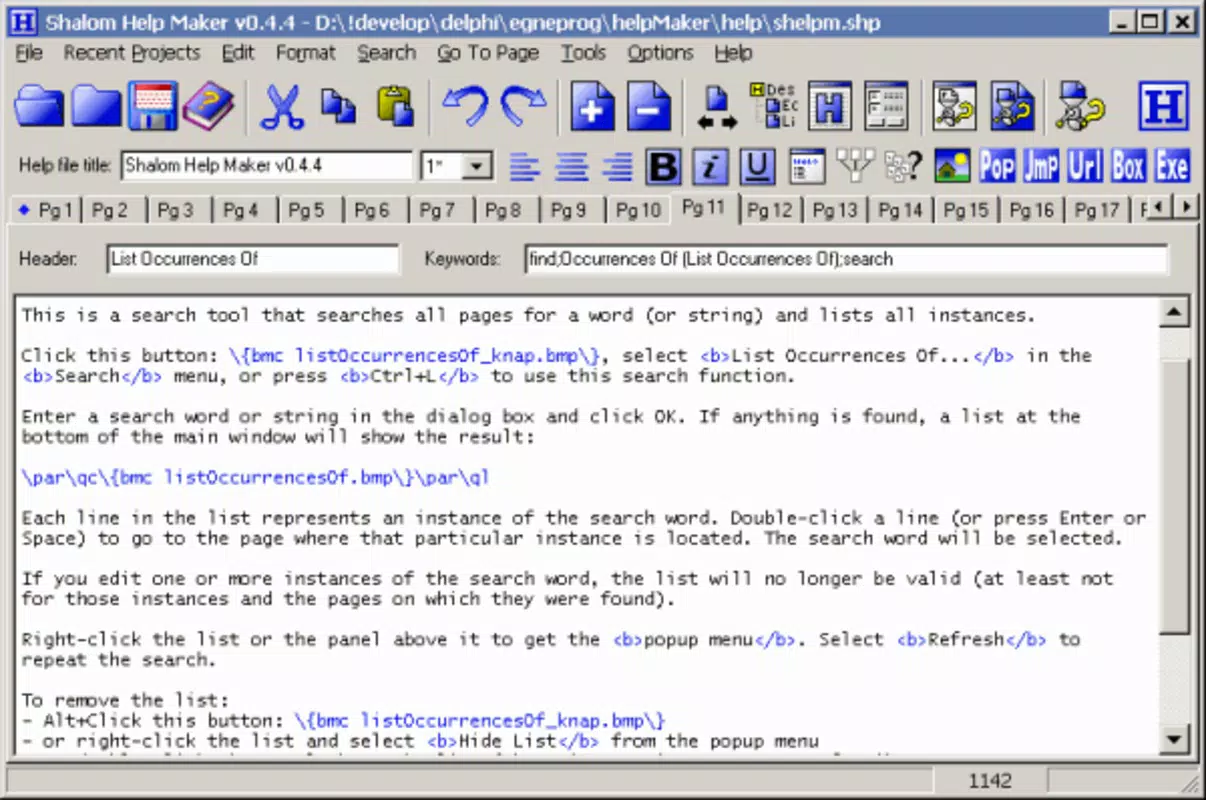
The interface of Shalom Help Maker reflects a minimalist design philosophy, prioritizing functionality over visual flair. It presents users with a clear workspace where content creation and navigation are central. The layout includes menus, a content editor, and a sidebar for managing topics and links, all arranged in a logical flow that supports a linear documentation workflow.
Navigating between pages, adding sections, and inserting media is achieved through standard controls, reducing the cognitive load on users. The application’s responsiveness appears consistent across different Windows environments, although specific performance metrics were not provided by the developer. The tool operates efficiently within its intended scope, with minimal lag during content editing and compilation.
Although the developer did not list formal performance metrics, the app’s lightweight footprint—1.5 MB—suggests it is optimized for low-resource systems. Stability is assumed to be adequate for its core functions, given its long-standing presence in the software landscape. However, compatibility with modern Windows versions may vary, particularly on systems with enhanced security or deprecated legacy components.
Platform Compatibility & Technical Requirements
Shalom Help Maker is designed for the Windows platform and requires a compatible Windows operating system. The specific OS version and minimum system requirements were not disclosed by the developer. The application’s file size is 1.5 MB, indicating a compact footprint suitable for older or low-storage devices.
Given its release date in 2005, the app was originally built for earlier versions of Windows. While it may function on modern Windows systems, compatibility is not guaranteed, especially on newer versions with stricter security policies or disabled legacy features. The developer did not specify whether updates or patches are available to address compatibility issues.
Pros and Cons
Pros
- Simple, user-friendly interface ideal for beginners and non-technical users.
- Efficient workflow for creating structured help documentation.
- Supports images, links, and indexed content for enhanced usability.
- Automated compilation process via a dedicated .hlp compiler.
- Free to download and use, with no licensing restrictions.
Cons
- No official updates or support since 2005; potential compatibility issues on modern systems.
- Relies on the outdated .hlp file format, which is not natively supported on all current Windows versions.
- Developer did not provide technical specifications or system requirements.
- Limited to Windows platform; no support for mobile or cross-platform use.
- Interface lacks modern design elements and may appear dated.
FAQ
Is Shalom Help Maker safe to download and install?
Yes, the app is free and available from official sources. However, as it is no longer updated, users should exercise caution when running it on modern systems and consider using a sandboxed environment if security is a concern.
Can I use Shalom Help Maker on Windows 10 or Windows 11?
While the app may run on newer Windows versions, compatibility is not officially confirmed. Some users may encounter issues due to deprecated legacy features or security restrictions.
What file format does Shalom Help Maker produce?
The application compiles help files into the .hlp format, a standard for Windows help systems. This format is compatible with older Windows applications but may require additional tools for modern use.
Is there a mobile version of Shalom Help Maker?
No, the app is designed exclusively for the Windows platform. There is no official mobile or iOS version available.
How do I compile a help file using Shalom Help Maker?
After creating your documentation, copy the included compiler into the project folder. The app will then automatically generate the final .hlp file upon request.
Final Thoughts
Shalom Help Maker remains a functional tool for developers and technical writers who need to generate help documentation in the .hlp format. While its age is evident in both design and compatibility, its core functionality—creating structured, indexed help files with ease—remains relevant for legacy software projects. The app’s simplicity, combined with its zero cost, makes it a valuable resource for those maintaining older Windows applications.
For users focused on modern documentation standards, this tool may not be ideal. However, for those working within constrained environments or supporting legacy systems, Shalom Help Maker offers a reliable, no-frills solution. Its ability to streamline the help file creation process without requiring advanced technical skills is a significant advantage.
Download Shalom Help Maker now


